

Das FAQ-Schema ist ein wichtiger Bestandteil der strukturierten Daten von Schema.org, um häufig gestellte Fragen (FAQ) zu markieren. Die Verwendung des FAQ-Schemas bietet mehrere entscheidende Vorteile:
- Verbesserte Sichtbarkeit in den Suchergebnissen: Durch das FAQ-Schema erscheinen Fragen und Antworten prominent direkt in den Google-Suchergebnissen. Dies zieht die Aufmerksamkeit der Nutzer auf sich và kann die Klickrate (CTR) Ihrer Website erhöhen.
- Höhere Interaktionschancen: Nutzer sehen sofort relevante Antworten, was das Engagement fördert, noch bevor sie auf Ihre Seite klicken.
- Optimierte Nutzererfahrung: Strukturierte und leicht zugängliche Antworten verbessern das Erlebnis der Besucher auf Ihrer Website.
💡 Funktionsweise: TanaFlows erstellt das FAQ-Schema automatisch basierend auf folgenden Prinzipien:Die Überschrift 2 (H2) muss mit einem Fragezeichen "?" enden.Es funktioniert sowohl für Blog-Beiträge als auch für statische Seiten.Überschriften der Ebene 3 (H3) werden không tự động berücksichtigt.
Automatische FAQ-Seite mit TanaFlows
TanaFlows generiert automatisch eine Schema-Struktur für Ihren Blog oder Ihre FAQ-Seite, um Ihnen einen klaren SEO-Vorteil zu verschaffen.
Schritt 1: Internes Tag #faq-schema erstellen
Erstellen Sie zuerst ein internes Tag in Ghost, um die Funktion zu aktivieren:
- Internes Tag:
#faq-schema
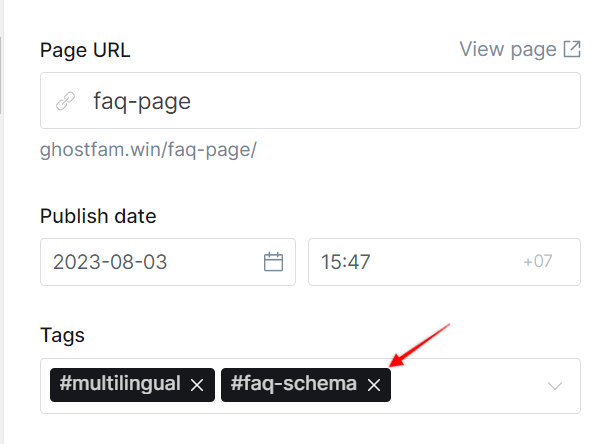
Schritt 2: Das Tag #faq-schema dem Beitrag oder der Seite zuweisen
Jeder Artikel, der H2-Überschriften mit einem "?" am Ende enthält, kann mit dem Tag #faq-schema versehen werden.
TanaFlows nutzt dann automatisch die H2-Überschrift als Frage und den darauffolgenden Inhalt als Antwort. Die Antwort endet vor der nächsten Überschrift oder am Ende des Artikels.
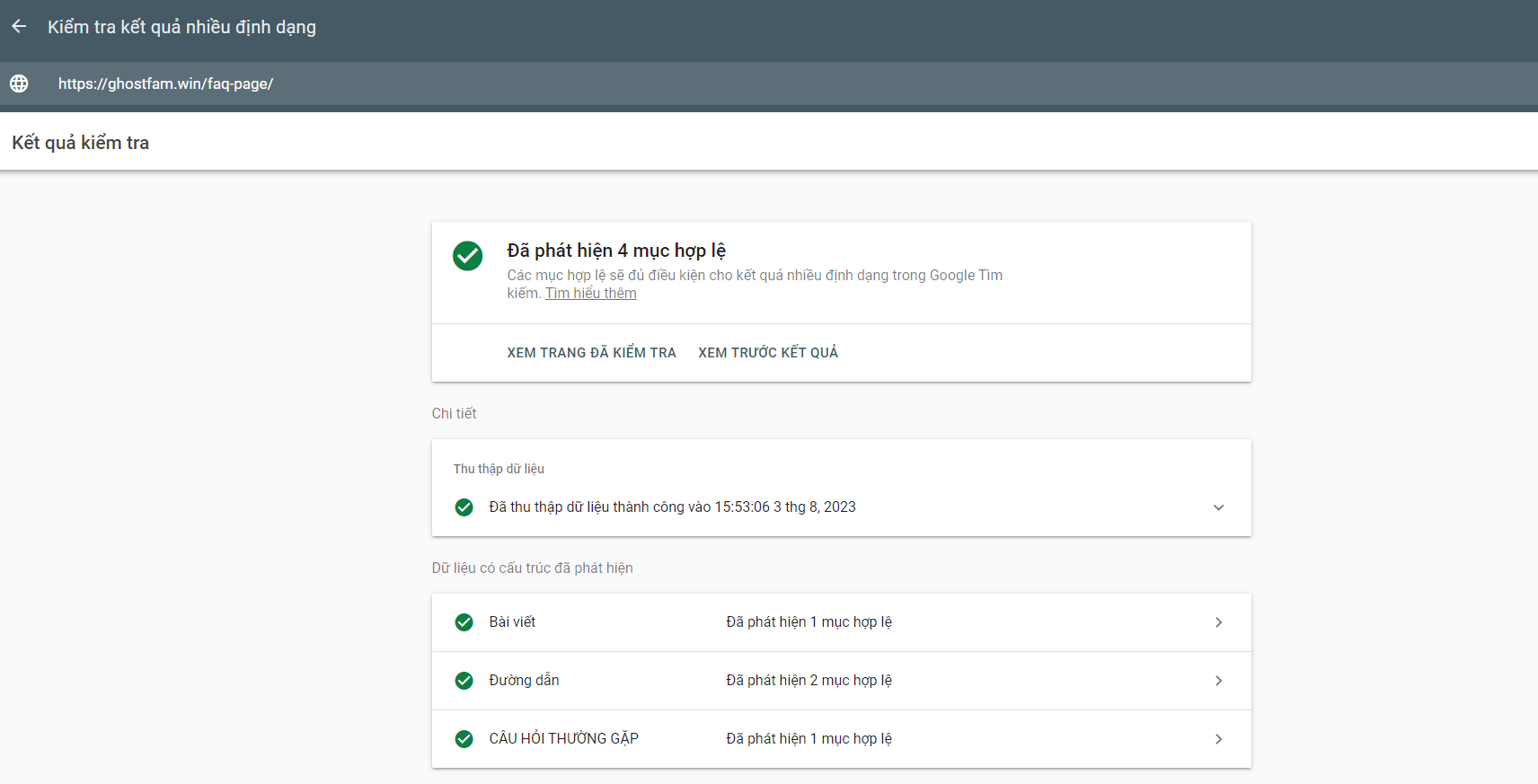
FAQ-Schema überprüfen
Um sicherzustellen, dass Ihr Artikel das FAQ-Schema korrekt generiert hat, verwenden Sie die offiziellen Tools von Google:
- Rich Results Test (Test auf Suchergebnisse für Rich-Suchanfragen)
- Google Search Console

FAQ Schema is an important part of Schema.org structured data used to mark frequently asked questions (FAQ) information. Using the FAQ Schema has several important benefits:
- Improve visibility in search results : Using the FAQ schema helps questions and answers appear prominently in search results. This grabs the user's attention and can increase your website's click-through rate.
- Increase Chances of Engagement : With the FAQ schema, users can foresee the questions they want answered, helping to generate engagement before they even click on your page.
- Improve user experience : Providing accessible and well-structured answers can improve the user experience on your site.
1. Heading 2 ends with "?"
2. Use for both blog and page
3. Heading 3 will not be generated automatically

 Cuong
Cuong
FAQ Page demo
Step 1: Create internal tag #faq-schema
You need to quickly create an internal FAQ schema tag to use:
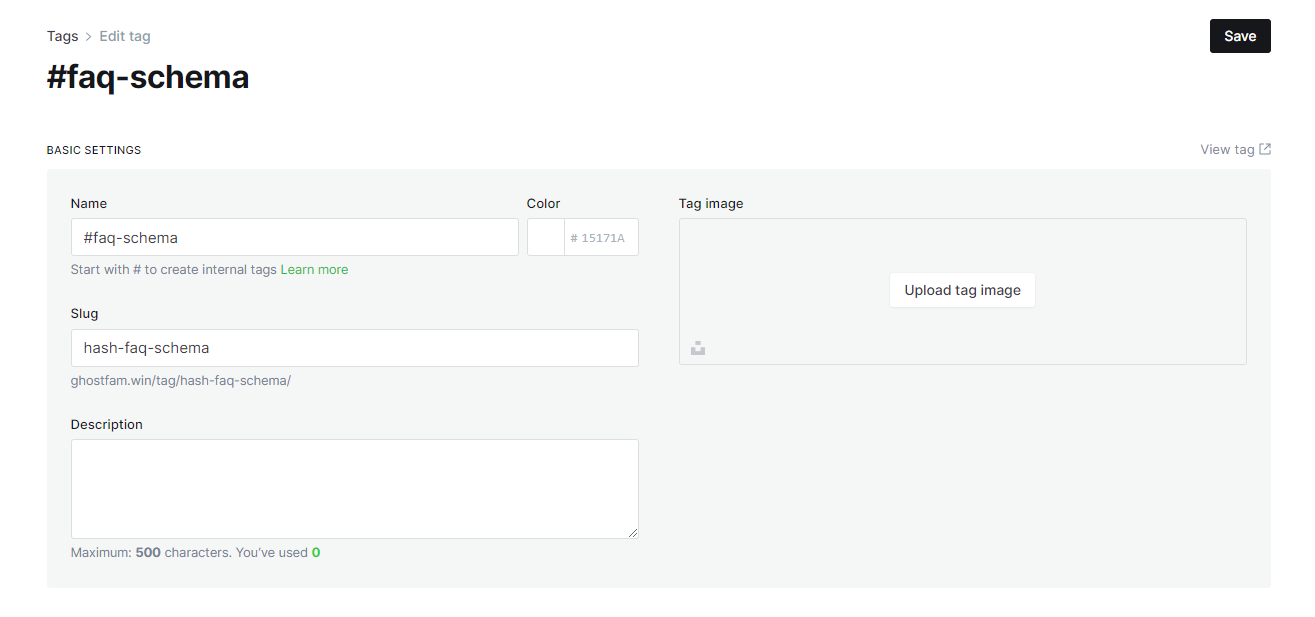
#faq-schemaStep 2: Assign the tag #faq-schema to the post or page
Any articles you have h2 headings that end with a "?" you can assign tags #faq-schema
TanaFlows will automatically generate an automatic FAQ schema for you with heading 2 as the question and the content below heading 2 as the answer. The end of the answer is the next heading or the end of the lesson.
#faq-schemato posts to create FAQ schemaTo check if the article has created an FAQ schema, use Google's tool